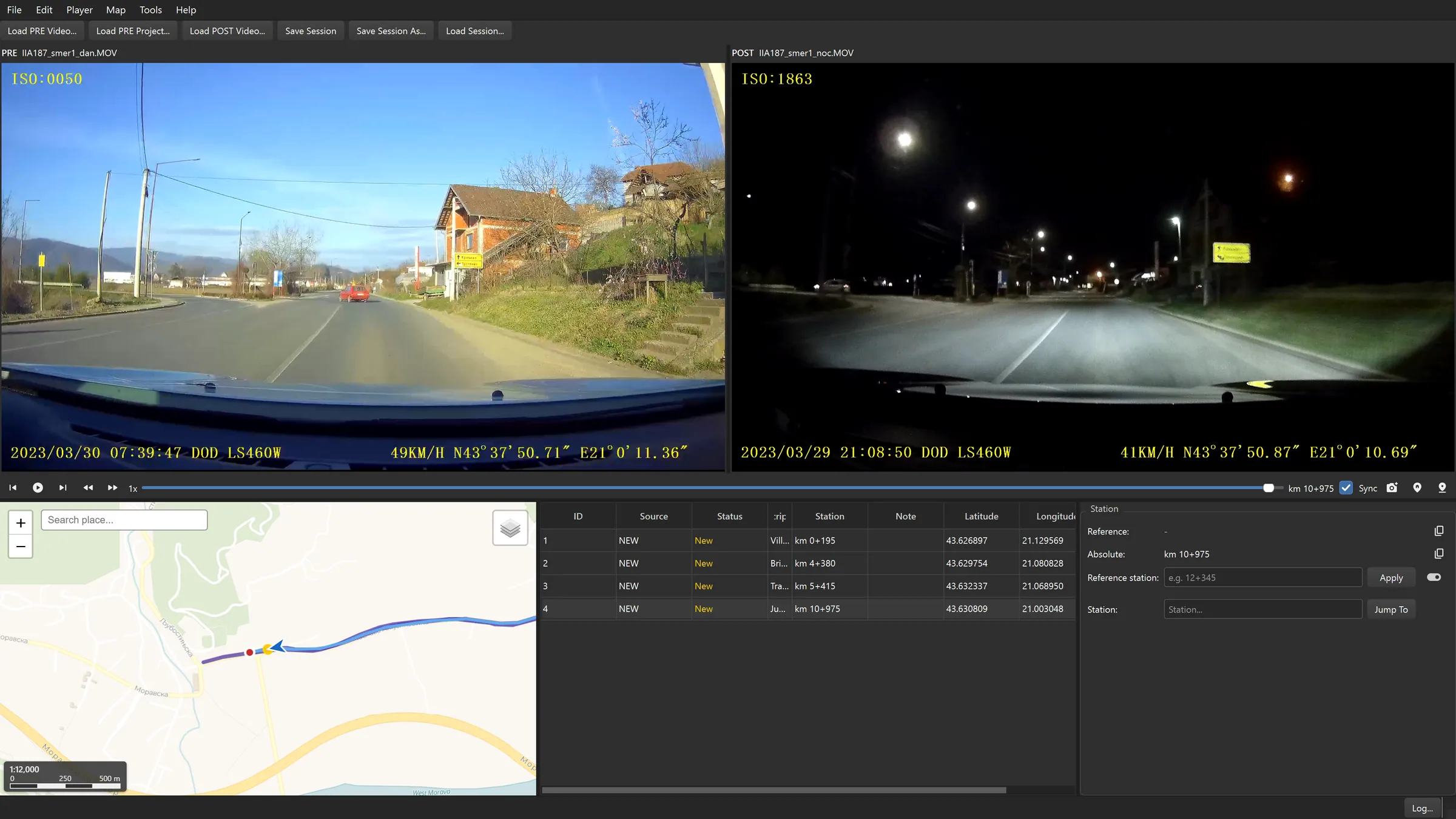
Load both drives
Load the earlier drive as PRE and the later one as POST, as videos or saved projects. Both need GPS.

Play two drives of the same road side by side, before and after works or by day and night. RSI Viewer matches the drives along the route, so both videos show the same place on the road.
The challenge
After works, the question is what changed on the road and whether the change helps. Two separate videos, started at different points and driven at different speeds, are hard to compare frame by frame.

In RSI Viewer
In Advanced mode, start a Pre-Post Analysis and load the earlier and the later drive. Add a marker wherever something changed, set its status (improved, worsened, new or unchanged) and save side-by-side screenshots for the record.
Limits: A comparison shows what the cameras recorded on each date; take weather, light and camera position into account. The two drives must share part of the road. Pre-Post Analysis records markers, not findings, and does not produce the Word report.
Road data is filled in automatically only in Serbia; reports are in Serbian.
Coverage in and outside Serbia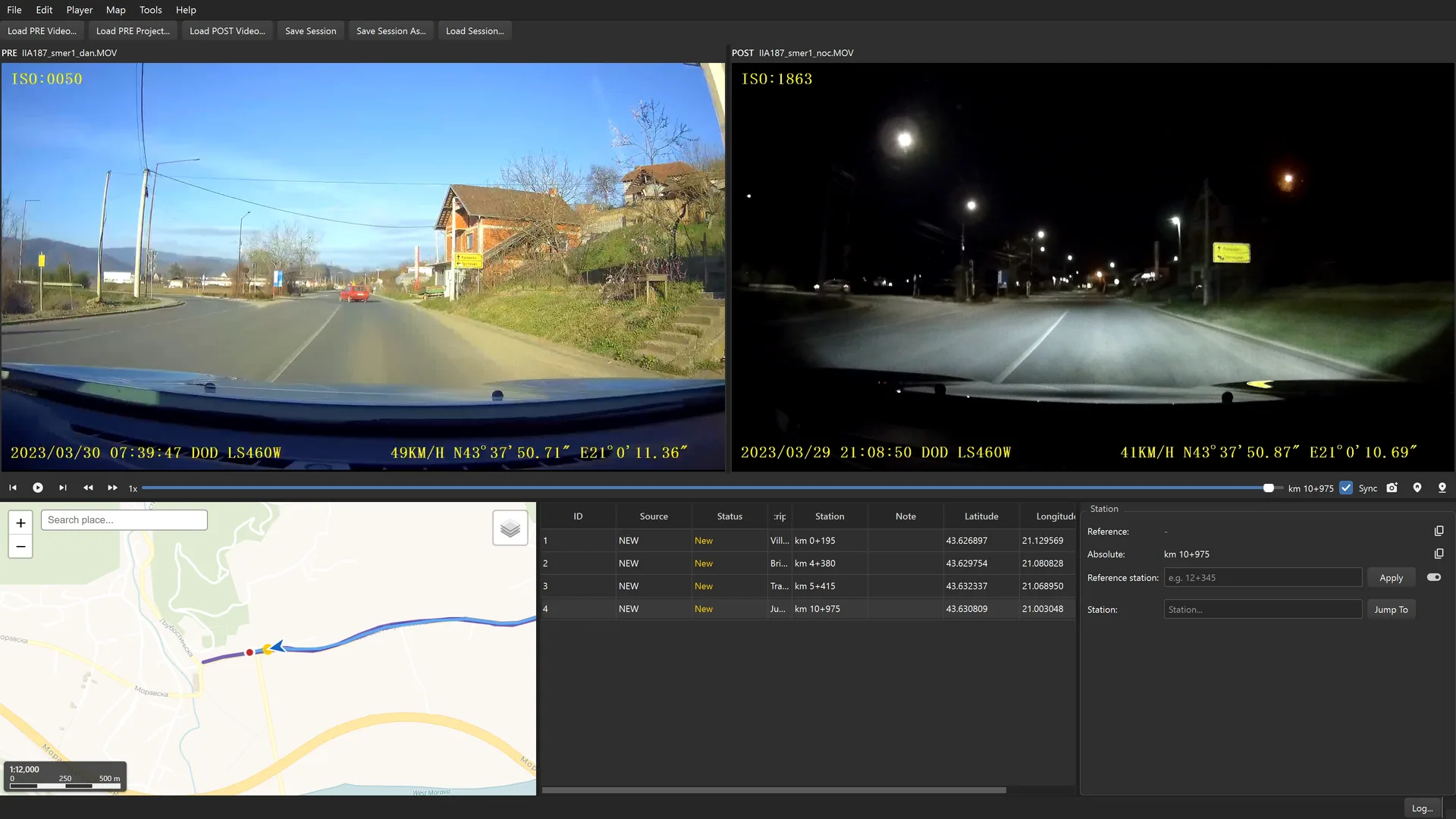 View screenshot at full size: Day and night recordings of the same junction, matched along the route
Load the earlier drive as PRE and the later one as POST, as videos or saved projects. Both need GPS.
RSI Viewer aligns the two drives along the shared road, so they stay in step when speeds differ. Turn sync off to move one video alone.
Add a marker at each change and give it a status: improved, worsened, new or unchanged.
Save a side-by-side comparison screenshot for each place and save the session to continue later.
Who it’s for
Other use cases
Pricing
Annual subscription for one computer. Tell us about your team and the roads you inspect, and we will send an offer.